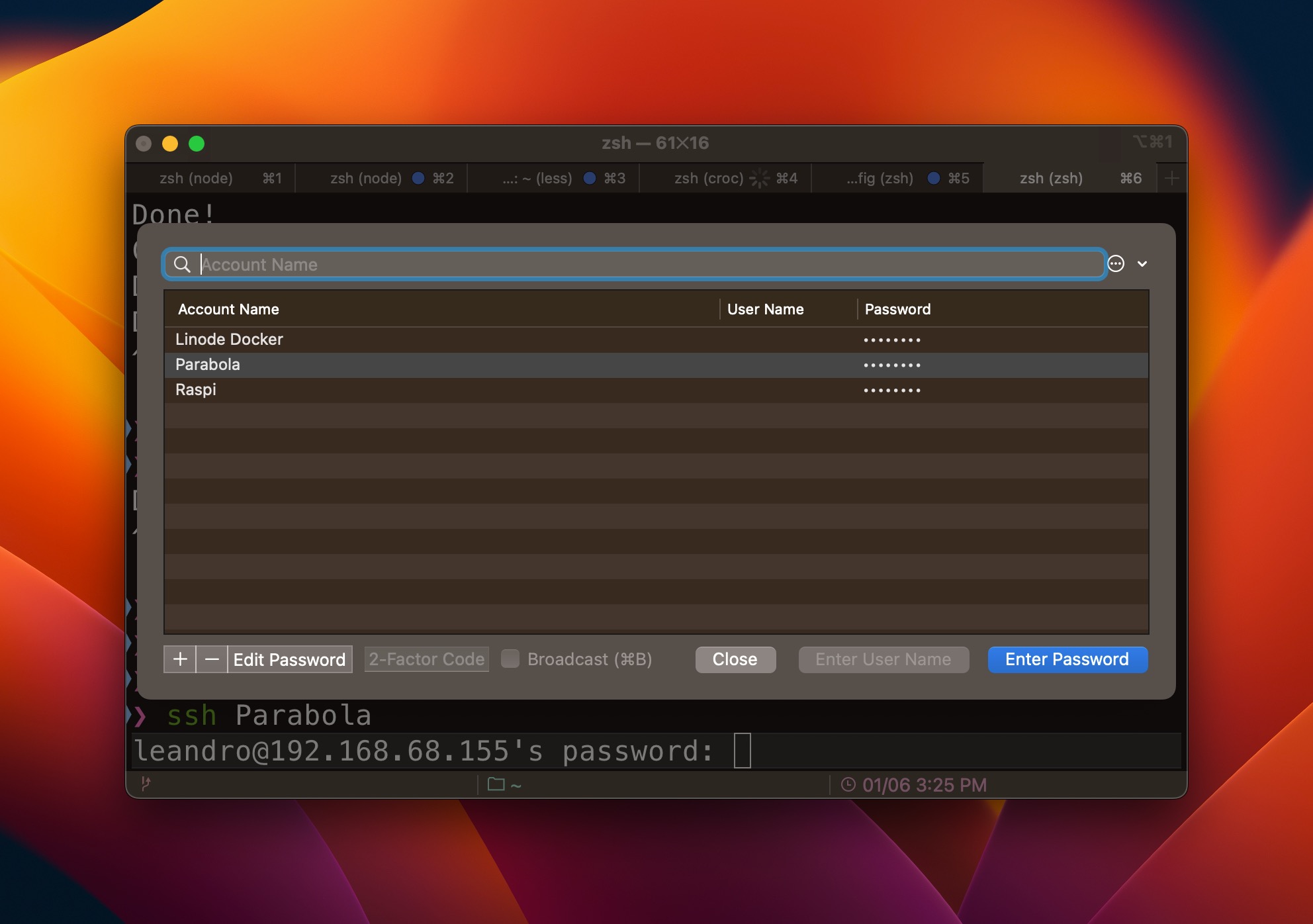
iTerm Password Manager with triggers
I’ve been using iTerm2 for many years now, but noticed that I was not using it to its full potential.
There’s a feature in iTerm2 called triggers that allows you to run a command when a specific text is printed in the terminal. I’ve been using it to automatically fill my password when I ssh into a server.
How to use it
First, you need to add a new password to iTerm. Go to Window > Password Manager and click on the + button to add a new password.
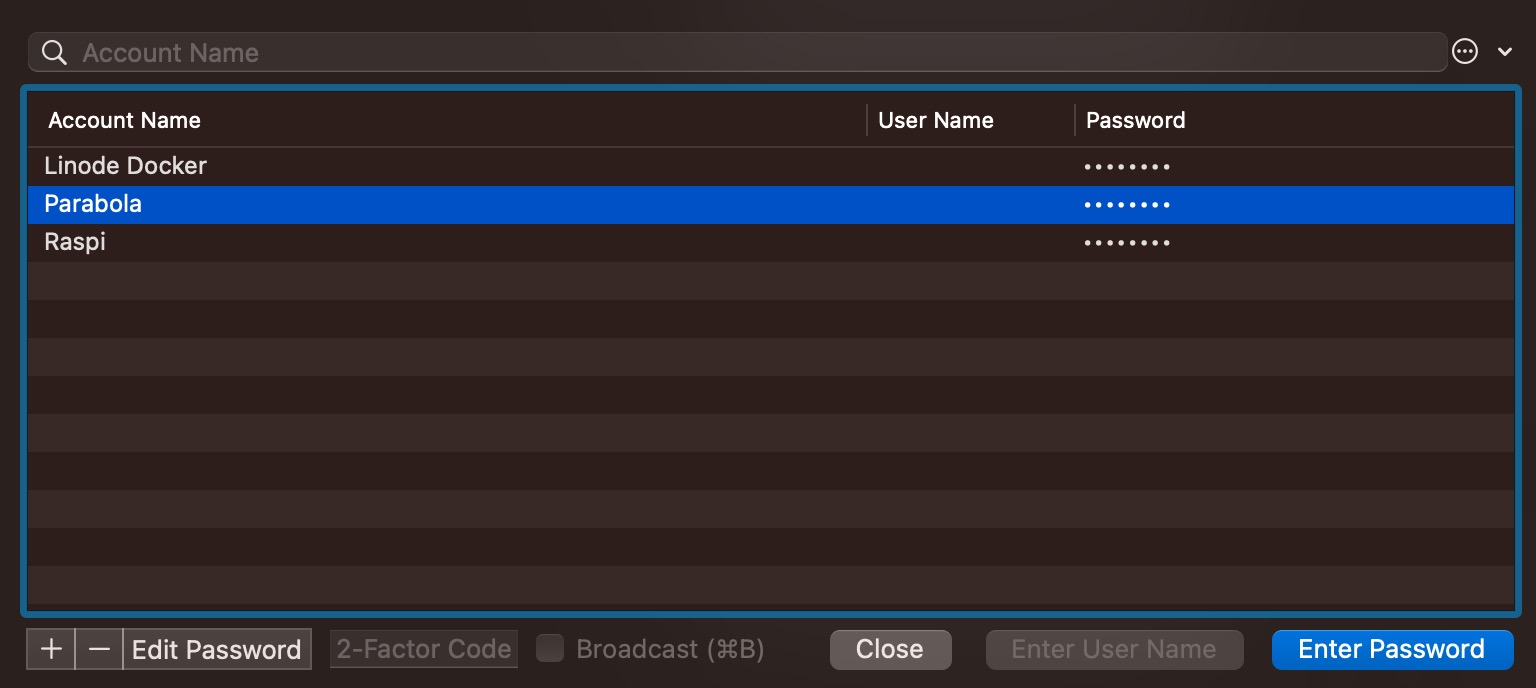
Second, you need to create a new trigger. Go to Preferences > Profiles > Advanced > Triggers and click on the + button to create a new trigger.
Then, you need to fill the trigger with the following information:
- Regular expression:
leandro@192.168.68.155's password - Action:
Open Password Manager... - Parameters: select the password you created in the previous step
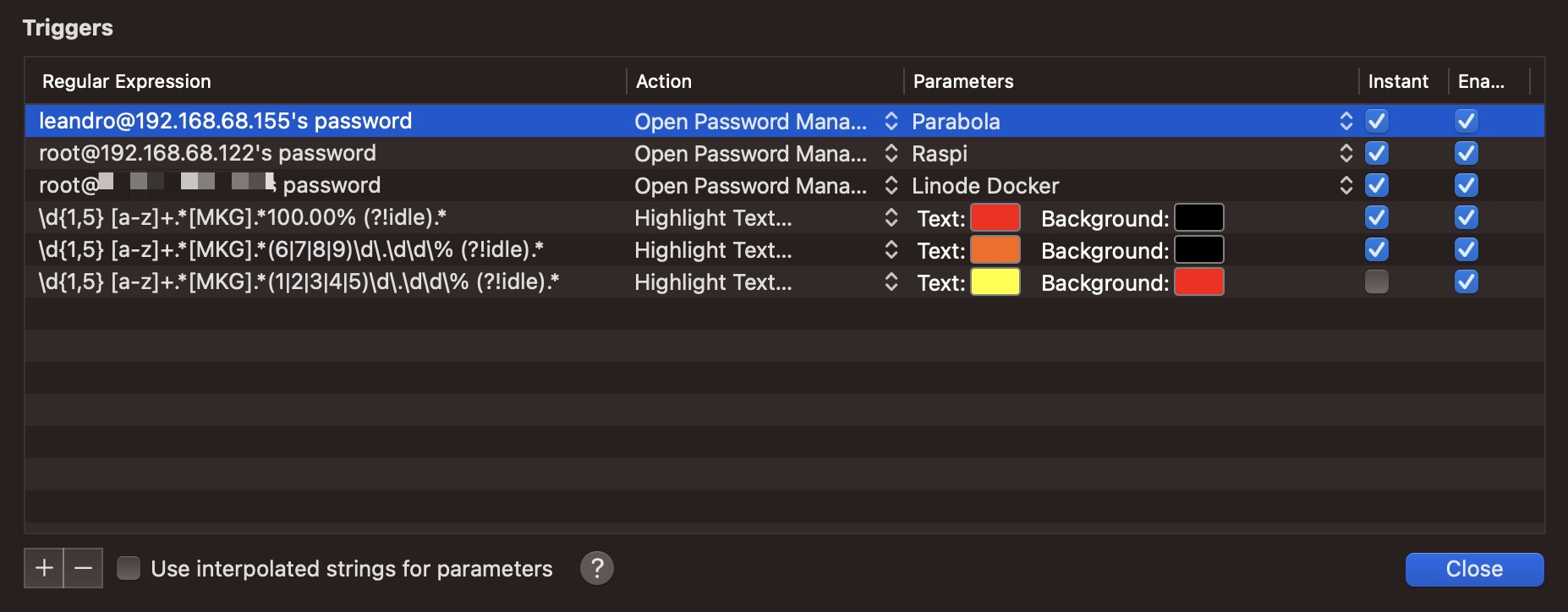
Now, when you ssh into a server, iTerm will open the Password Manager with the password you created selected and you just need to press Enter to fill the password.